The Tibia Client has one permanent sidebar on the right, but multiple sidebars can be added on both sides. To add or remove a sidebar, the player has to use the two arrows  on the left and right side of the Game Window.
Tibia Client
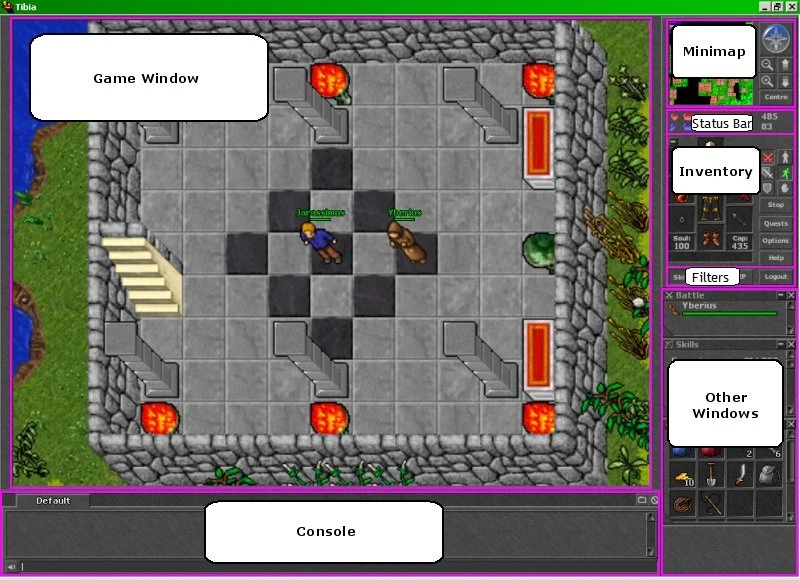
The main right sidebar always contains the following and they can be dragged up or down in any order (always above the next list):
- Minimap
- Status Bar
- Inventory (can be minimized)
- Combat Controls
- Filters
Several Widgets can be opened on the main or on any extra sidebar. The only rule is that they cannot be moved atop the fixed widgets listed above.
- Containers
- Skills
- Battle List (including additional Windows with different filters)
- VIP List
- NPC Trade
- Safe Trade
- Party List
- Prey Widget
- Unjustified Points (Pvp Skull System)
- Quest Tracker
- Spell List
- Bestiary Tracker
- Imbuement Tracker
- Analytics Selector widgets:
Flash Client


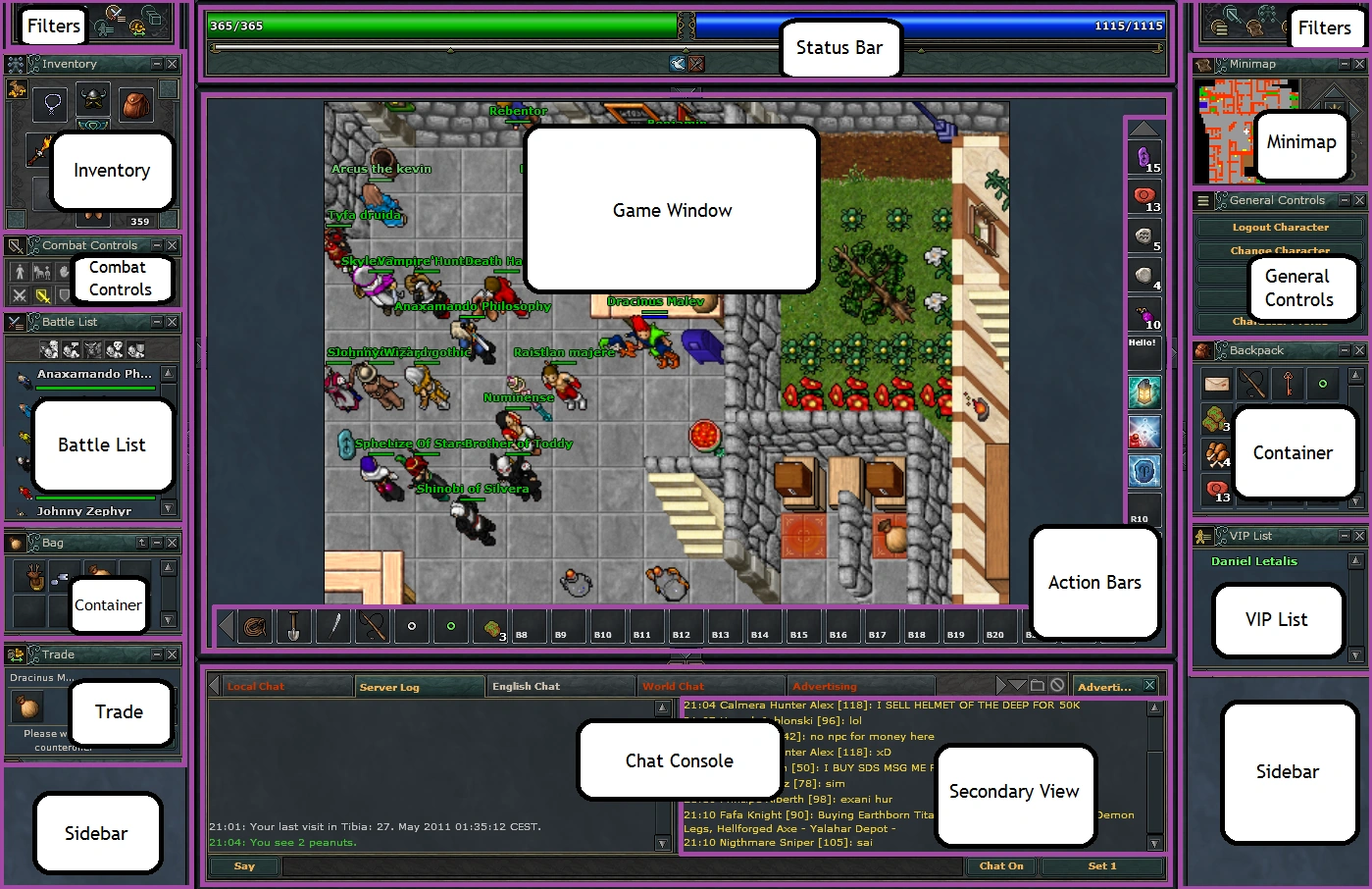

The sidebars always contain:
These can be toggled on and off for each sidebar (one per sidebar, except for containers):
- General Controls
- Combat Controls
- Minimap
- Inventory
- VIP List
- Battle List
- Containers
- NPC Trade
- Safe Trade
| Client Sections | |||||||
|---|---|---|---|---|---|---|---|
| Windows | |||||||
| Widgets |
| ||||||
| Miscellaneous | |||||||