A Character Auction is an in-game feature facilitating the auctioning of Tibia characters to the highest bidder. Character Auctions were announced on August 13, 2020 and became available on August 25.
History and legality of trading accounts
This feature is controversial as CipSoft has previously forbidden transactions of Tibia accounts. CipSoft made changes regarding Account Trading within the Tibia Rule; rule 5a, which forbid the trading and sharing of accounts, was removed. However, due to a modification of the Extended Tibia Service Agreement, these actions are still not permitted.
The differences between Account Trading and character auctions are:
- With character auctions, the currency stays within the game. Account trading was traditionally the selling of accounts for real world currency.
- Characters were previously not separable from accounts, so account trading necessarily forfeited the entire account.
- There are risks associated with account trading that do not apply with character trading, such as an inherent risk of not receiving what you paid for, or receiving an account that had a poor criminal history.
- CipSoft directly benefits from the transaction of characters through the auction fee and commission.
Requirements
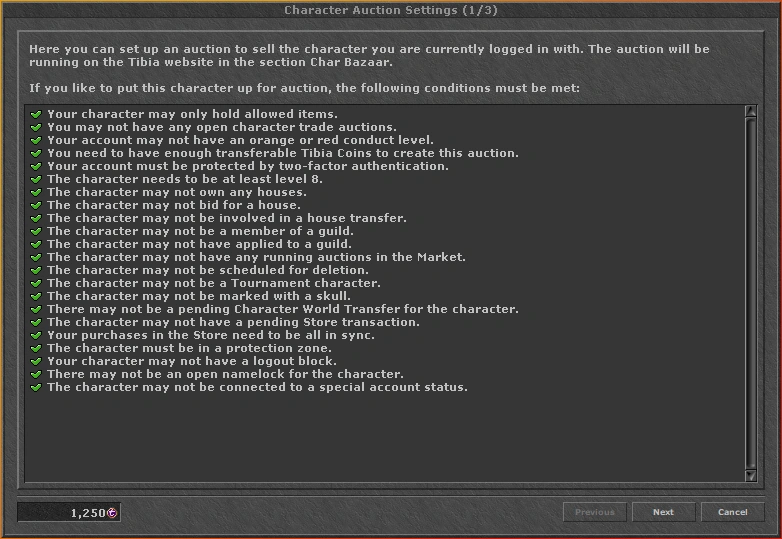
The following requirements must be met in order to auction a character:
- Your character may only hold allowed items.
- You may not have any open character trade auctions.
- Your account may not have an orange, red or black Conduct Level.
- You need to have enough transferable Tibia Coins to create this auction.
- Your account must be protected by two-factor authentication.
- The character needs to be at least level 8.
- The character may not own any houses.
- The character may not bid for a house.
- The character may not not be involved in a house transfer.
- The character may not be a member of a guild.
- The character may not have applied to a guild.
- The character may not have any running auctions in The Market.
- The character may not be scheduled for deletion.
- The character may not be a Tournament character.
- The character may not be marked with a skull.
- There may not be a pending Character World Transfer for the character.
- The character may not have a pending Store transaction.
- Your purchases in the Store need to be all in sync.
- The character must be in a Protection Zone.
- Your character may not have a Logout Block.
- There may not be an open Namelock for the character.
Fees and Conditions
- 50
 Tibia Coins are paid as an auction fee by the seller to set up an auction.
 - CipSoft receives a commission of 12% of the actual selling price. The commission is rounded down in favour of the player. The minimum starting bid is thus 57 to ensure a minimum payout for the seller: 57 * 0.12 = 6.84 ; rounded down, the commission is 6 and the seller receives 51 , from which the 50 auction fee is deducted, which results in a 1 net gain.
- The 50 are reserved once the auction has been set up and can no longer be accessed by the player.
- If the player cancels the auction before it appears in the Char Bazaar (i.e. before the next Server Save), the 50 are made available again.
- If the auction is cancelled after it appeared in the Char Bazaar (i.e. after the next server save) and before anyone bid on the character, the reserved coins will be subtracted from the account's coin balance.
- If the auction ends without any bid, the 50 fee is not refunded.
- To quickly catch the interest of potential buyers who are checking Current Auctions in the section Char Bazaar on the Tibia website, you can select up to 4 of your rarest and most valuable items and up to 5 of your best skills, your greatest achievements or other outstanding features of your character.
- All other relevant information about your character will be displayed by clicking on its details in the Char Bazaar.
- The maximum allowable minimum bid for an auction is 999,999,999 .
Character Trading Details
There are many nuances to the transfer of a character from one account to another. The information below is based on the Official FAQ and also other information shared by CipSoft on the Official Forum.
- Only characters will be traded, not accounts.
- Account-bound aspects cannot be transferred and include:
- Loyalty;
- Registration data;
- Email address;
- Tibia Coins;
- Tournament Coins;
- Recovery key;
- Password;
- Authenticator;
- Rule violation Record;
- Premium Time;
- Account-wide outfits;
- Account-wide mounts;
- Tournament tickets;
- Once the first bid has come in an auction, you can no longer cancel an auction.
- Once sold, the VIP list and friend list of the character will be deleted entirely. Moreover, the character will be removed from any VIP list and friend list it was part of.
- Recently traded characters are marked in numerous ways. Recently traded means that the character has been transferred in the last 30 days. After this 30 day period, the character will no longer be marked.
- In-game, every recently traded character receives the addition "(traded)" behind their name when writing a chat message. A right-click on the chat message offers the context menu entry "Traded Character" which reveals how many days ago the character was traded. Furthermore, items whose text description can be altered (e.g. letters) display a hint that the text was last changed by a character which was recently traded.
- On the website, players will be marked with "(traded)" in the characters section. In the forums, recently traded characters will receive the addition "traded" as well as a tooltip below their name when posting. Posts written by this character before the trade will also be marked "traded", but can no longer be reported. The character's post count is reset as well.
- Once the character has been sold, it will be deleted from the lists concerning house access as well.
- It's not possible to directly transfer a character from one account to another without having the auction, but you can create an auction and bid on the character yourself in order to move it to another account. This obviously still includes the possibility of somebody else outbidding you.
- Daily Reward streaks are frozen during the auction so the character doesn't lose it by not logging in.
Additionally, it's important to note that when selling a character, you may receive your Tibia Coins payment with either transferable or untransferable coins!
Character Auction Process
Character Auctions are initiated using the client, where the seller can check if the character meets all the requirements and set the auction details. The Auction is hosted on the Official Website in a platform called Char Bazaar. Once successfully auctioned, the character will be transferred from the seller's accounts to the buyer's account, including all of its items, skills, quest flags, outfits, mounts and more. It is not possible to create buy offers for characters because of the uniqueness of each character.
Starting a Character Auction
- Log in the character that you want to Auction and open the Store. Click the Character Auction button on the bottom.

- Check if you fulfill all required conditions to sell this character.


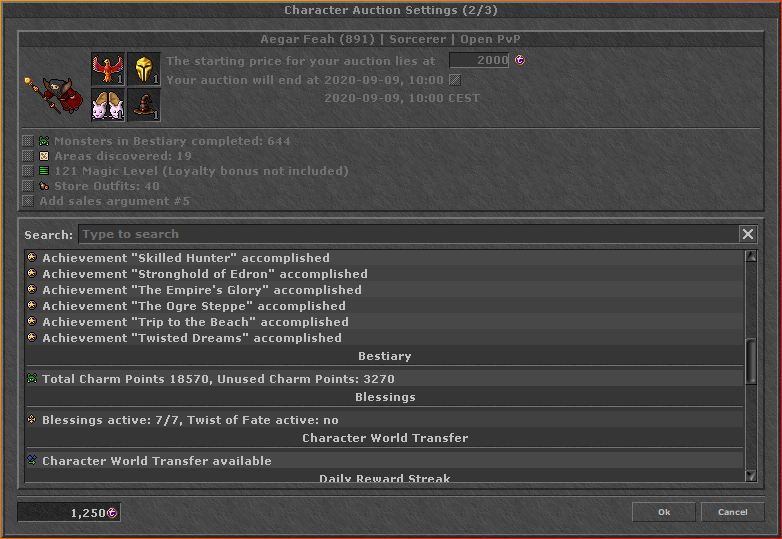

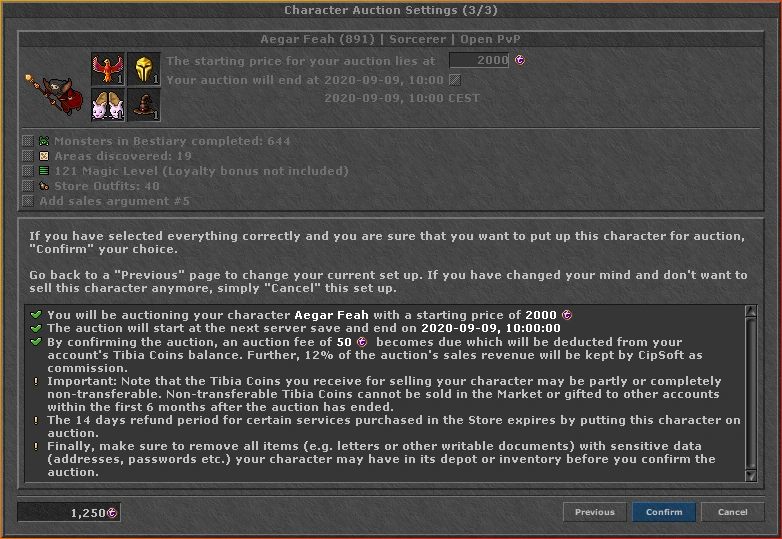
- Select the starting price for your character's auction and choose at which day and time your auction should end. Note that your local time is displayed there. The end point of the auction has to lie between 1 and 28 days from the auction set-up on.
- On the last page, you can recheck your auction set-up. If you have selected everything correctly and you are sure that you want to put up this character for auction, "Confirm" your choice.
Once the auction has been set up, you can no longer access the character to change it in any way, as you will be logged out and can no longer log on your character. At this point, if you change your mind and want to cancel the auction, you will only be able to do so through the account management page on the website. Also note that you may only auction one character at a time.
Bidding on a Character Auction
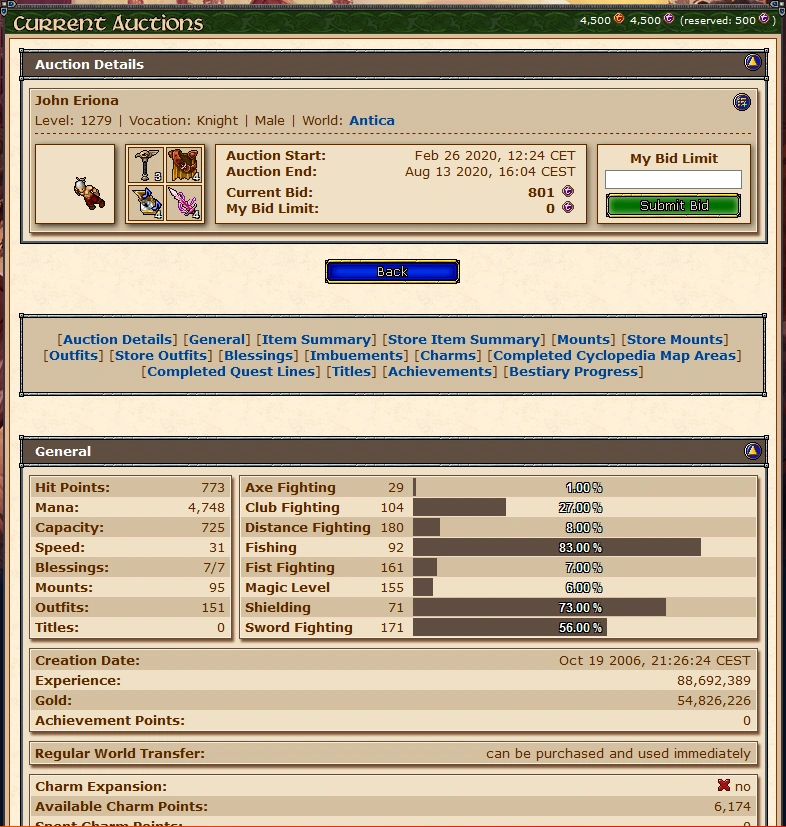

Bids are submitted on the Tibia website in the section Char Bazaar. Every relevant character detail is visible in the auction details. You may bid on several characters at once (limited by the character limit).
To bid for a character you have to submit a bid limit, which has to be at least as high as the minimum bid in order to be accepted. Initially, the minimum bid is the starting price. However, it will be raised if a person bids on this character. Even though your bid limit may be higher than the minimum bid, you only bid as much as you need in order to have the highest bid, just like it works during House auctions. For example:
- Character A is being auctioned at a starting price of 700 . Consequently, the minimum bid is 700 .
- Player X submits a bid limit of 900 . The minimum bid is raised to 701 .
- Player Y submits a bid limit of 800 . The minimum bid is raised to 801 . Player X stays the highest bidder.
- Player Y submits a new bid limit of 1000 . The minimum bid is raised to 901 . Player Y has become the highest bidder.
- Player Y stays the highest bidder and wins the auction, having to pay 901 .
- When you submit your bid limit, 10% of it will be reserved, meaning this amount of coins can no longer be accessed. Previous reserved Tibia Coins will be taken into account when submitting a new bid limit.
Once the auction has ended and you hold the highest bid, the price will be paid automatically if you have sufficient funds. The Tibia Coins previously reserved will be made available for this purpose. If you lack the necessary funds, you have 7 days to pay the selling price. When paid, the character will appear in your character list after the next server save, and its location will be reset so it logs in its home temple.
If you cannot pay the selling price after the 7 days, the reserved coins will be subtracted from your account's coin balance and the auction annulled. The seller will be informed via email about the annulled auction and receives their 50 TC auction fee back.